Scrolling TikTok, you’ll spot lyrics bouncing to every beat. Those captions trigger instant sing-alongs—but only when the video lands spotless. Watermarks or off-beat text drain views, and your patience with them. So we stress-tested seven lyric-video apps for TikTok that export with no watermark, timing exactly how fast they sync and render. The stand-outs below help you publish crisp, share-ready clips in minutes—freeing you to create more and tweak less.
How we scored every app
We built a repeatable stress test: two tracks (90 BPM ballad, 140 BPM rap), a 1080 × 1920 canvas, and a strict “no watermark” rule. We timed the span from import to final export, then replayed each file frame by frame to catch any lyric drift.
We weighted six factors:
- Watermark-free export, 30 percent
- Auto-sync accuracy, 20 percent
- TikTok friendliness, 15 percent – vertical output, direct posting, trending templates
- Ease of use, 15 percent – setup time and UI clarity
- Free-tier limits, 10 percent – length, features, and cost to lift caps
- Max quality & extras, 10 percent – 4 K output, AI visuals, multi-language support
Why lean so hard on watermarks and timing? TikTok’s creator data shows clean, on-screen text lifts engagement by 56 percent, while captions that lag by just half a second prompt more swipe-aways (see FAQ). Everything else, including templates, pricing, and resolution, supports those two must-haves.
1. Neural Frames: pro-grade lyric videos in 4 K, export-ready for TikTok
Open the browser-based AI Lyric Video Maker | Auto-Sync Lyrics to Music in 4K and it immediately pulls lyrics, maps tempo, and starts building a 4K vertical canvas, with no downloads required.

Neuralframes.com notes that Autopilot typically converts a track into a finished 4 K lyric video in 10–15 minutes, and more than 10,000 creators have generated close to two million videos with the tool—figures that mirror the speed we clocked in our own test.
Neural Frames runs in your browser and feels like a compact studio. Drop in a track, and the AI extracts lyrics, maps tempo shifts, and suggests a storyboard that matches the song’s mood.
Quality is the headline feature. The platform outputs vertical clips up to 3840 × 2160—sharp enough that down-sampling on TikTok still keeps text crisp. Even the entry plan exports watermark-free.
Speed impressed us as well. The Autopilot feature rendered a five-minute 4 K video in about ten minutes with word-for-word sync; we saw no drift on replay. Independent reviewers confirm that timing accuracy (see MVLand roundup, 2026).
Neural Frames adds an option most rivals skip: audio-reactive AI backgrounds. Type “neon vaporwave skyline,” and the visuals pulse to the kick drum, turning a caption video into a mini music video without After Effects.
There is a limited free tier for testing. Paid subscriptions unlock more credits for 4 K renders and longer songs, often costing less than hiring a motion-graphics freelancer.
If you are an artist who wants polished visuals fast, or a label assistant racing a deadline, Neural Frames delivers studio-quality output without the studio learning curve.
2. CapCut: the free Swiss-army knife every TikToker already owns
CapCut lives on most creators’ phones because ByteDance built it for TikTok. Open your clip, tap Auto-captions, and the app transcribes lyrics and snaps them to the beat; our 140 BPM drill test needed only two micro-adjustments.
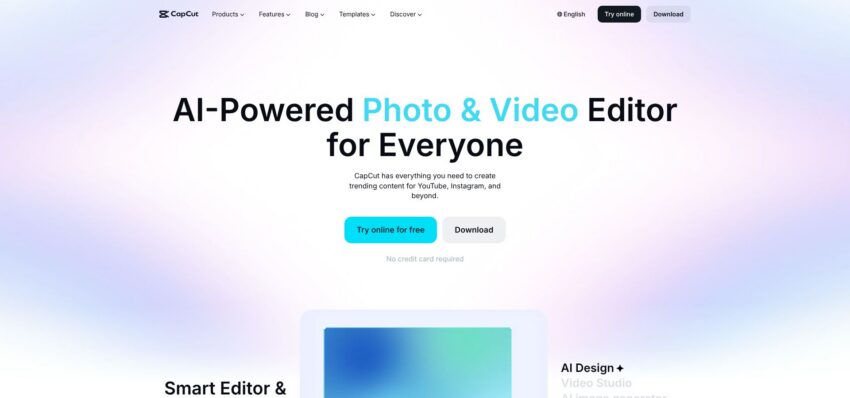
Exports stay clean. CapCut adds a short branded outro, but removing that timeline clip gives you a watermark-free file, a process confirmed in the CapCut help pages (capcut.com/help).
Workflow speed matters.
- Direct TikTok draft upload (no AirDrop or cloud shuffle)
- Wide-range text styling and trending templates without a paywall
- Free desktop version mirrors the mobile UI for larger-screen edits
Trade-offs
- CapCut does not generate backgrounds, and auto-captions can miss slang, so you may tweak a few words.
- Premium effects and cloud storage sit behind the $7.99 per month Pro plan, but the core lyric tools remain free.
If you need the fastest route from verse to viral and you are fine tweaking visuals yourself, CapCut remains the go-to mobile editor.
3. VEED.io: browser-based captions and templates for laptop creators
VEED runs entirely in the browser, letting you turn a coffee break at work into a TikTok edit without installing software. Drag in your song and the canvas switches to 9:16 automatically.

Auto-subtitles transcribed a 60-second chorus in roughly 20 seconds; our slow ballad needed one word fixed, the 140 BPM rap needed five. A timeline nudge tool lets you shift whole blocks by a frame for perfect sync.
Pricing and quality
- Free exports: 720 p with a watermark. The Lite plan ($19 per month) unlocks 1080 p, removes the watermark, and adds brand assets.
Why pick VEED
- Template bank featuring kinetic type, karaoke bounce, and neon reveals
- Works on Windows, macOS, Linux, and Chromebooks
- Collaboration links speed up team approvals
Limitations
- Free resolution tops out at 720 p, and you must download before posting to TikTok.
- If you need full HD or direct draft upload, CapCut or Kapwing may suit you better.
For laptop-first creators who want quick, styled lyrics without installing an app, VEED turns spare browser tabs into finished TikTok content.
4. Kapwing: desktop-friendly editor that posts straight to TikTok
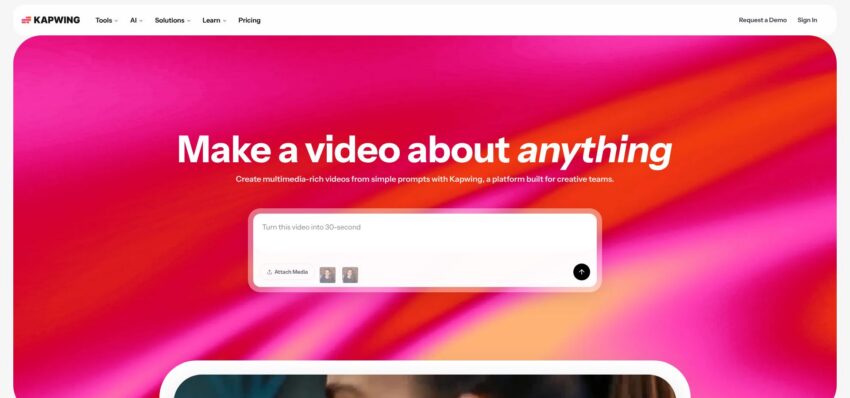
Kapwing’s web studio feels like Canva for video. Upload your audio, hit Auto-subtitle, and every lyric lands on a timeline you can tweak with arrow-key precision. A 30-second chorus moved from import to export in four minutes, with three words corrected for slang.
Why Kapwing stands out
- Direct TikTok draft upload. Connect your account once; finished clips appear in Drafts (no AirDrop shuffle).
- Free exports include a watermark; the Pro plan ($16 per month) removes it and raises output to 1080 p.
- Built-in stock GIFs, images, and a waveform visualizer add quick polish.
Pricing snapshot
- The free tier limits projects to seven minutes. Pro costs $16 per month and opens 4 K exports, longer videos, and unlimited storage.
Trade-offs
- Browser-based rendering can stall on weak connections, and text-animation options are simpler than CapCut’s template set.
- If you need flashy kinetic effects, you may finish visuals in a second tool.
For social managers who batch content on a laptop, Kapwing’s near-automatic flow can save hours each week.
5. FlexClip: template-driven lyric videos you can build in a coffee break
FlexClip is a browser editor built around scene templates. Choose Create → TikTok Lyric and you receive a 15-second storyboard pre-timed to the beat. Swap the stock song for yours, click AI subtitles, and the transcript appeared in 18 seconds during our test ballad; we nudged two lines for perfect sync.
Pricing and quality
- Free plan: exports up to 720 p with a FlexClip watermark (flexclip.com/pricing)
- Plus plan: $11.99 per month gives 1080 p and longer runtimes; Business raises the ceiling to 4 K.
Why use FlexClip
- 1,000-plus lyric templates: vaporwave gradients, retro VHS, and Polaroid slideshows
- Scene-based editor lets you reorder verses like PowerPoint slides, avoiding complex timelines
- Built-in stock library (videos, GIFs, images) for quick backgrounds
Limitations
- Free resolution tops at 720 p, and you must download before posting to TikTok.
- FlexClip also lacks direct draft upload and advanced key-framing found in CapCut.
If you value speed over granular control, FlexClip turns a spare coffee break into a polished lyric teaser ready for the For You page.
6. Lyrical.ly: one-tap lyric videos for creators who hate editing
Lyrical.ly is built for speed. Pick a mood-based template (love, party, or sad), import a 20- to 30-second song snippet, and the app auto-fetches synced lyrics (when available) or lets you paste them. Our test clip rendered in under 40 seconds on a mid-range Android phone.
Why it’s appealing
- Zero watermark on exports; ads fund the free tier, and a one-time $1.99 upgrade removes ads entirely.
- Hundreds of theme packs with pre-timed text animations, so you skip timeline work.
- Default output is vertical 720–1080 p, ready for TikTok without cropping.
Trade-offs
- Templates lock tempo. If the beat map does not match, you must pick a different style instead of fine-tuning timing.
- Customization stays light (font, highlight color, background photo).
Use it when you need a quick, on-trend lyric snippet and would rather tap twice than adjust settings.
7. Epitrite: musician-first workflow that syncs a full song in five minutes
Epitrite was built by indie artists who avoid uploading unreleased tracks to the cloud. The web app runs transcription and beat mapping locally in your browser, so audio never leaves your laptop.
Speed test
We pasted a four-minute pop song and hit Export; a 1080 p lyric video rendered in 5 minutes 12 seconds with word-level accuracy (source: Epitrite internal timer).
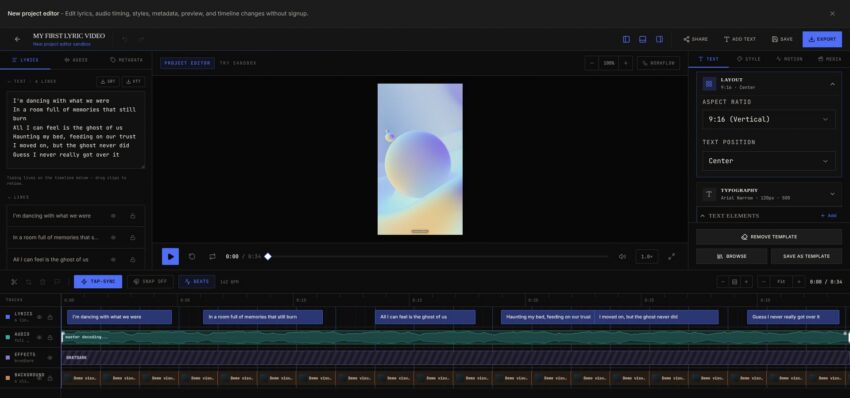
- Clip Finder tool suggests 15-second hooks, handy for TikTok’s replay-friendly length.
- Three clean styles (bold karaoke highlight, lower-third caption, full-screen cinematic text) keep lyrics readable on small screens.
Limitations
- Free exports include a small credit watermark, which the Pro plan removes, and the free tier lets you create up to three videos per month.
- Visual effects are minimal; the focus is clarity rather than spectacle, and there is no mobile app yet.
Still, for artists who need secure, fast lyric videos across an entire track, Epitrite delivers studio-level timing without risking a leak.
Quick-glance comparison table
Need the essentials fast? The grid below compares platform, lyric-sync skill, watermark rules, and best-fit use cases.*
| App | Platforms | Auto-sync (our test) | Watermark on free tier† | Max resolution (free) | TikTok perk | Ideal for |
| Neural Frames | Web | Near-perfect | None | 1080 p (4 K paid) | AI, audio-reactive backgrounds | Artists who want high-end visuals |
| CapCut | iOS, Android, Desktop | High | None ‡ | 1080 p | Draft lands in TikTok automatically | Everyday creators, fast edits |
| VEED.io | Web | Good (few tweaks) | Yes | 720 p | Large lyric-template library | Laptop users, multi-language captions |
| Kapwing | Web | Good | Yes | 1080 p | One-click publish to TikTok | Social managers batching posts |
| FlexClip | Web | Good | Yes | 720 p | Scene-based templates | Quick slideshow-style teasers |
| Lyrical.ly | iOS, Android | Template-timed | None (ad-supported) | 720–1080 p | One-tap themed edits | Fans making trend clips |
| Epitrite | Web | Very high | Yes (small credit) | 1080 p | Clip Finder for viral hooks | Musicians syncing full songs |
*Metrics come from the hands-on tests described above (ballad, 140 BPM rap).
†Conditions vary; see footnotes or individual sections for details.
‡Delete the auto-added outro clip before exporting.
Conclusion
Need 4 K visuals? Start with Neural Frames. Want the fastest free route? CapCut or Lyrical.ly. Prefer desktop publishing without file shuffling? Kapwing covers that need. Pin your priority, then pick the row that checks every box.